
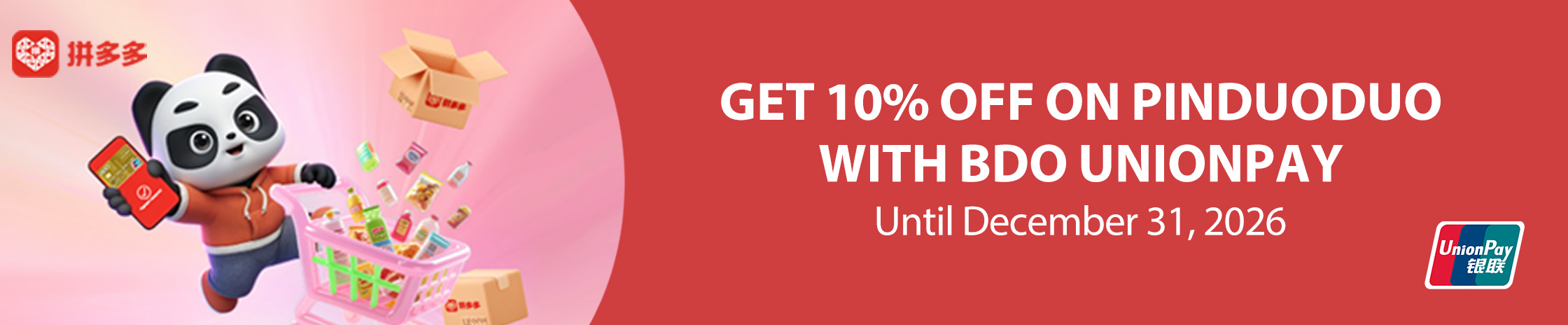
10% OFF on Pinduoduo
How to get this deal
- Pay with a BDO UnionPay credit card
- On or before Jan 1, 2027
Promo period: Nov 24, 2026 – Jan 1, 2027 · 36 days left
Remind me before it ends
We’ll email you 2 days before 10% OFF ends (Jan 1), plus new BDO promos on Thursdays. Free, no account needed.
Listed on BDO’s promo page as of Nov 26, 2026
From BDO’s promo page
UnionPay Exclusives The promo is open to active Principal and Supplementary BDO UnionPay Credit Cardholders. Promo runs until December 31, 2026. Cardholders may enjoy 10% OFF, capped at CNY 5 per transaction, when they shop on the Pinduoduo app and pay using the BDO UnionPay Credit Card via Duoduo Payment. To participate and avail of the discount: Register your BDO UnionPay Credit Card to this link . Download the Pinduoduo App via the App Store for Apple users and via this link (https://www.pinduoduo.com/home/download/) for android users. Create an account and bind your BDO UnionPay Credit Card to Duoduo Payment. See step-by-step guide on how to bind your BDO UnionPay Credit Card to Duoduo Payment below. Shop and select the item you wish to purchase then click “Buy Now”. Review the item on your Shopping Cart, click “Pay Now”. Enter your shipping and billing information. Select Duoduo Payment on Payment method. Click “Confirm Selection”. Discount will be automatically applied once Duoduo payment is selected as payment method, and BDO UnionPay Credit Card is bound. Check if the discount was applied to total billing before proceeding to place the order. Click “Place Order” to complete the transaction. Cardholders only need to register once. After successful registration, eligible transactions may already enjoy the discount. BDO UnionPay Credit Cards that have not been registered are not eligible for the discount. Discount may be availed for up to two (2) transactions per day and up to a total of CNY 20 OFF per month within the promo period. Promo discount is valid for a limited number of redemptions during the promo period. Conversion rate (CNY-PHP) will be based on the platform’s conversion. If an eligible transaction is subsequently reversed, canceled, or refunded, only the amount actually paid by the cardholder will be refunded. The instant discount amount will not be refunded, and the discount quota will be deemed used. In the event of a partial refund, the instant discount amount will be deducted on a pro rata basis according to the ratio of the refunded amount to the total order amount, and only the remaining amount will be refunded. The discount quota will still be deemed used. The Promo is organized by UPI. However, UPI is not the provider of the goods and/or services and shall bear no liability in respect of the goods and/or services themselves. The Promo may not be used in conjunction with any other instant discount promotion offered by UPI. The use of BDO Credit Cards overseas and/or in foreign currencies may result to imposition of Cross Border Fees and/or Foreign Exchange Conversion Fees in the credit card transaction. For more details, Cardholders may refer to Section 8 of the Terms and Conditions Governing the Issuance and Use of BDO Credit Card found in BDO’s website. The use of the BDO UnionPay Credit Card in connection with this promo is subject to the Terms and Conditions governing the issuance and use of the BDO Credit Card. Open the app and click “You” on the bottom right corner. Click “Wallet” to add your bank card. Select “Add credit/debit card” then enter BDO UnionPay Credit Card Information: Enter your credit card number, expiration date, security code (CVV), and cardholder name. Confirm and Bind: After confirming all the details are correct, tap “Submit” to bind your BDO UnionPay Credit Card. Complete: Your credit card is now successfully linked and can be used for purchases or payments.
Quoted from BDO (deals.bdo.com.ph). The bank’s page has the full mechanics and is the final word.
First time on BDO Deals? If it opens on the home page, tap the button again to go straight to this deal.
Add your credit cards to PesoPilot (it’s free) to see every promo from your banks, get a weekly email of new ones, and a reminder before saved promos end.
Open the Card Promo ScannerPiliin ang cards mo, we’ll email new promos.
New deals for your banks, straight from their promo pages. No account, no app. Unsubscribe anytime.
More BDO promos
- ₱300 OFFMastercard Mondays: P300 OFF Every Monday at SM StoreUntil Dec 28
- Up to ₱400 cashbackGet up to P400 cashback at SM Store Big Christmas Savings Sale with BDO Pay Until Jan 31, 2027
- Up to 70% OFFSSI End-of-Season SaleUntil Feb 1, 2027
- 10% OFFSM Store Nuvali Opening PromoEnds in 4 days
- Up to 30% OFFEye Care on InstallmentUntil Jan 2, 2027
- ₱500 OFFSM Appliance Center Libreng Appliances Araw-ArawUntil Jan 15, 2027